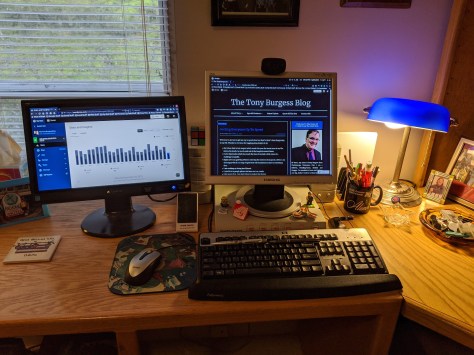
One screen is good. Two screens are better. I added another monitor to my nerd corner to enjoy it twice as much. Each monitor will do different things and that sort of thing. I am really going to enjoy this setup.

One screen is good. Two screens are better. I added another monitor to my nerd corner to enjoy it twice as much. Each monitor will do different things and that sort of thing. I am really going to enjoy this setup.

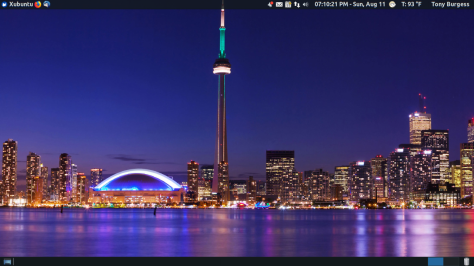
Inspired by fellow blogger Robin I have switched my Linux distribution back to Xubuntu 18.04 from Ubuntu 19.04. This is due in part to Ubuntu not wanting to load properly. Xubuntu also uses fewer system resources and is very customizable without a lot of tweaking. I added a few apps for audio, photo management, photo editing, a calendar that syncs with Google and a few other things. I can always add more things as I need it too. Like Robin said its like coming home to a familiar neighborhood.
If you are like me I have created thousands of documents, pictures, videos and the like over the years. So many of the files I have stored are 10 years or more old. Something in me can’t get rid of these items, call it being sentimental. There are those who would call it hording but this isn’t about them now. It’s good to hold on to things like tax records, receipts, pictures, personal emails and business items. After awhile purging these items can be helpful for organizational purposes. Old grocery lists, dated notes, old bills and the like can be deleted.
It would take me days to go through all my stuff so I have chosen to have everything created from a certain point be archives and put in folders so I can at least search for them.
Today I deleted some old WordPress blogs I don’t use anymore. I exported them to an archival blog for future use and then deleted what I had just exported. There are some blogger blogs I need to do this to as well. Sometimes its good to reduce your digital footprint so that you are more secure and better organized.
Services like Google Drive, Dropbox and the like can help you store your information in the cloud as you also store them on an external hard drive or flash drive (called a belt and suspenders way of storage).
No matter how you store your documents be sure you use good passwords and up-to-date browsers and apps to manage your files. You can never be too safe.
Chromebooks are about to take over the world.A few days ago, Google announced that Chromebooks will soon be able to run Android apps from the Google Play app store, finally making them fully capable computers and putting them in a position to put a real dent in Apple and Microsoft’s dominance in PCs.
I am a Chromebook and Android user and I have found they work well for all my needs. This article’s news doesn’t surprise me because of the price point and the usability. Sometimes what isn’t popular might work best, you just have to use your imagination and be creative.

 The Tony Burgess Blog